
Personal book catalog app: find the books you own
Personal Book Catalog is a personal book catalog app for people who want to find books they own. Snap book covers, add notes and shelf spots, and use the catalog to find a book. The Android app is on Google Play.
Get it on Google PlayWhat does this home library app do?
Personal Book Catalog connects a book you own with its cover, your notes and its shelf spot. The purpose is practical: find a book when you want it. You can snap book covers and add details that help you place each book in your collection.
A home library can mean one shelf, several shelves or books stored in different places. The useful detail is the place you will look. A shelf spot gives your book record that link to a physical location. A note gives you space for your own context.
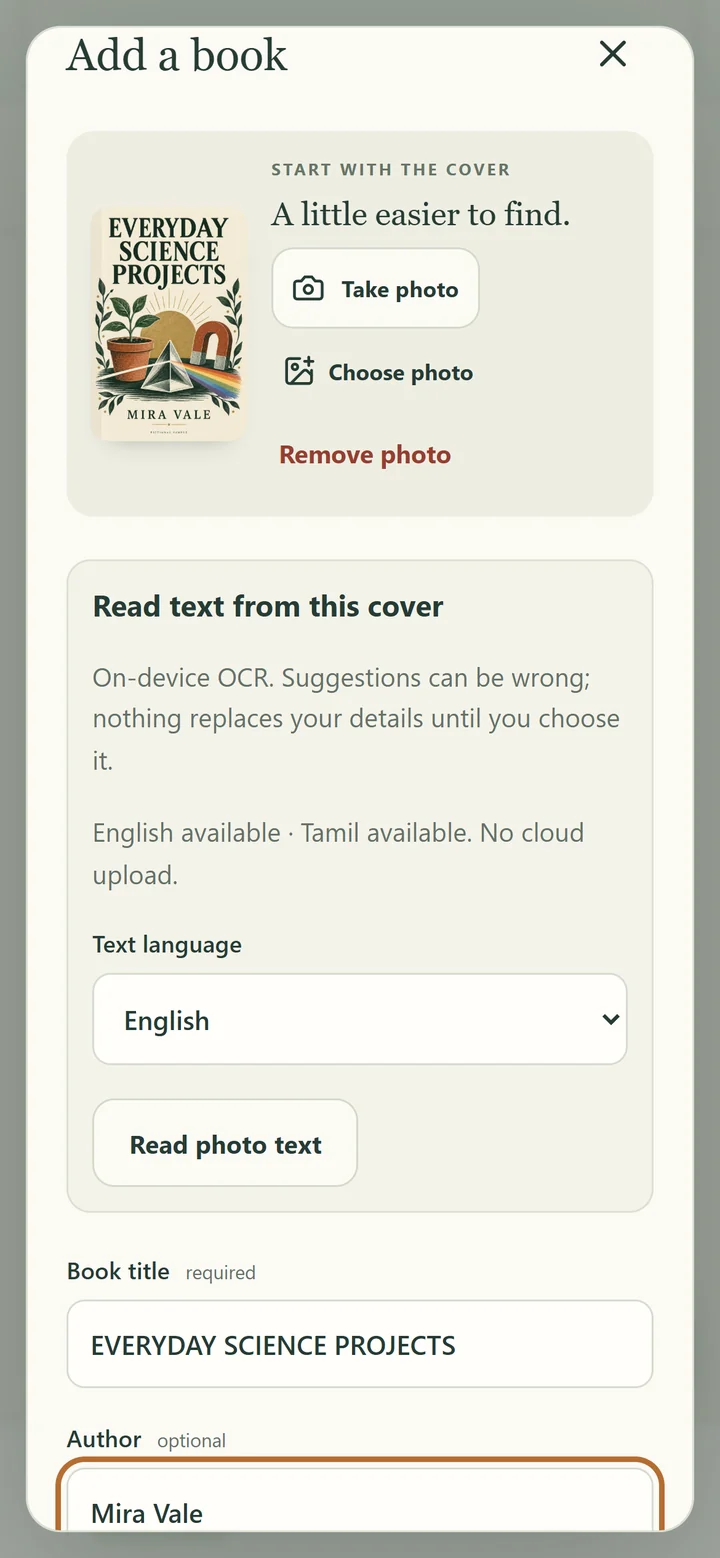
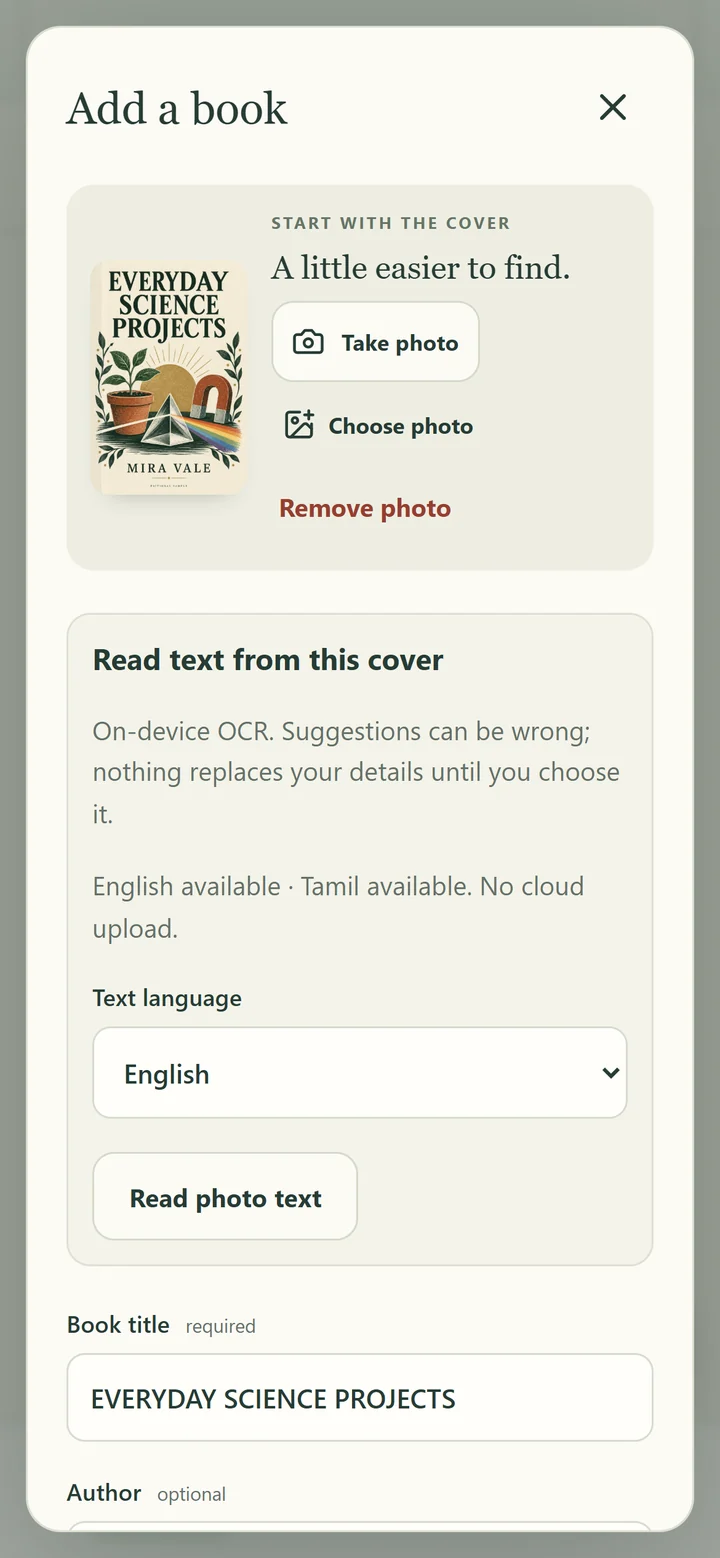
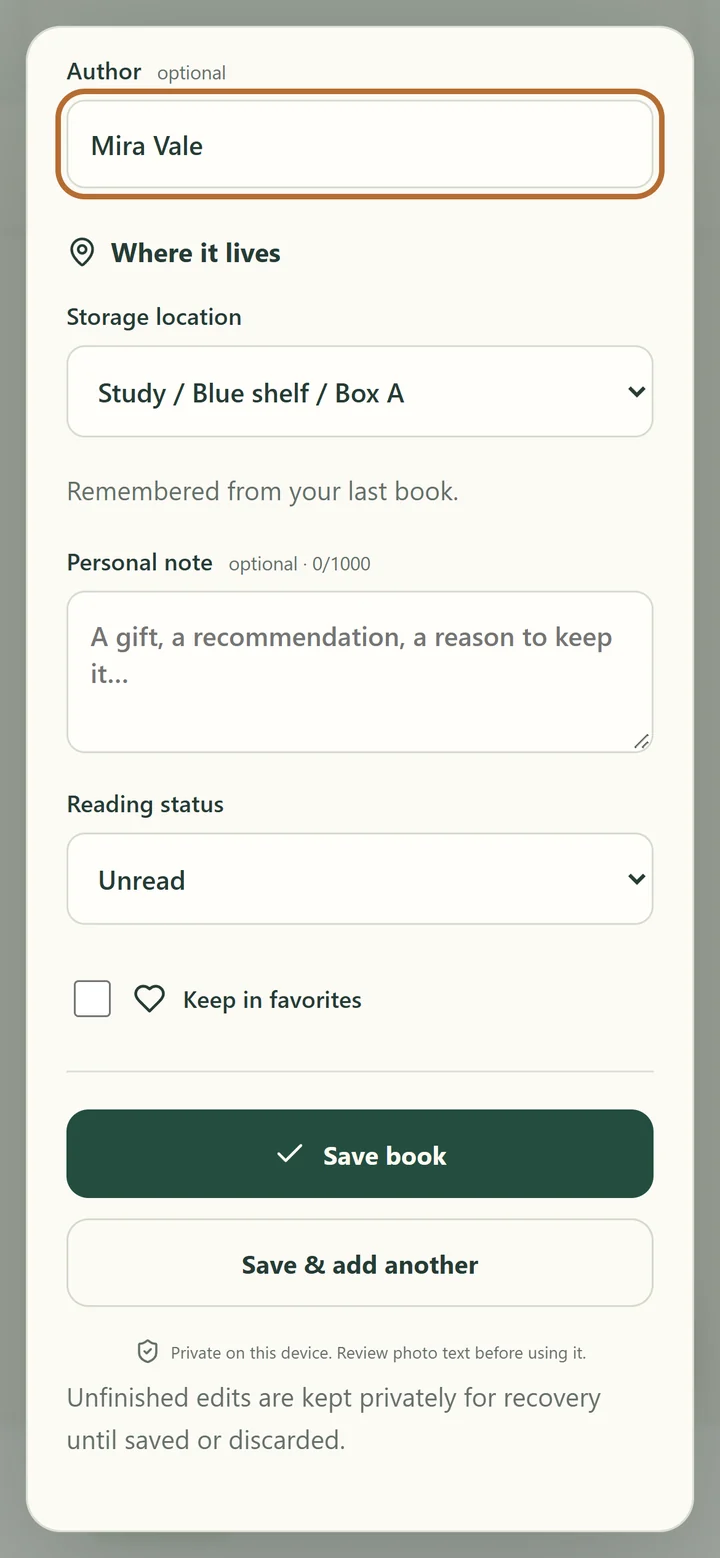
The add screens show a cover photo, a Book title field and an Author field. Further down, the form shows Where it lives, Storage location and Personal note. The Save book button appears below those details.
Key facts
- Platform
- Android
- Covers
- Snap book covers
- Details
- Add notes and shelf spots
- Purpose
- Find any book you own
- Publisher
- JAGC
How can I catalog my books on Android?
- Start with the cover.
Snap the cover of a book you own. The add screen shows a Take photo button and a cover image. This gives you a visual starting point for the record.
- Look at the book details.
The screen shows Book title and Author fields. Review the details you want to use for the book before you move further through the form.
- Add its shelf spot.
Use the shelf spot to record where the book belongs. The screen labels this part Where it lives and shows a Storage location field.
- Write a useful note.
Add a note that matters to you. For example, you could record why you kept a particular book. The screen shows a Personal note field for that context.
- Save the book record.
The lower part of the add screen shows a Save book button. Bring the cover, details, note and shelf spot together so you can find the book you own.
The most useful shelf spot is one you can recognize later. You might describe a room and a shelf. Include details that help you tell one shelf from another. Keep the words clear enough to guide you back to the physical book.
Watch Personal Book Catalog
Watch the trailer for a look at Personal Book Catalog. The phone screens below follow parts of the add-book form. They show a cover photo, book details, the storage location and a personal note field.
Personal Book Catalog screenshots
A book collection organizer for books you own
Personal Book Catalog is about the books in your own collection. The cover helps you recognize a book. The note can hold your reason for keeping it. The shelf spot points to where it belongs. Together, those details support finding the book later.
If your aim is to track books you own, begin with the books you most often look for. You can choose a shelf and think about what you need to know about each book. Add the shelf spot and any note that will help you recognize the book later.
The app lets you snap covers and add notes and shelf spots. Keep those core actions in mind when deciding whether it suits your home library. You can inspect the form screens to see where those details appear.
How can I find a book on my shelf?
A catalog is most useful when its words lead you back to the book. A shelf spot is the link between the record and the place you keep it. Personal Book Catalog lets you add that spot alongside notes and a cover.
For example, a location could describe a room, then a shelf within it. Choose words you will recognize when you need the book. Use the same words for the same place each time you add a book.
A bookshelf organizer app may suit someone who knows they own a book but wants help finding its place. Personal Book Catalog combines that purpose with cover photos and notes. Record where each book belongs so you know where to look for it.
Which home library traits do you need?
Think about the details you need when looking for a book. A title, a visible cover, your notes and a shelf spot each serve a purpose. This table lists the Personal Book Catalog traits you can compare with your own way of organizing books.
| Trait to consider | Personal Book Catalog |
|---|---|
| Book recognition | Snap book covers |
| Personal context | Add notes |
| Physical location | Add shelf spots |
| Collection focus | Books you own |
| Goal | Find any book you own |
Choose the app for those tasks. You can use a note for context and a shelf spot for location. Look at the form screens above to judge the visible flow. Then view the Android listing on Google Play when you are ready.
Frequently asked questions
What personal book catalog app can I use on Android?
Personal Book Catalog is an Android app for books you own. You can snap book covers, add notes and shelf spots, and find a book in your collection.
How can I track books I own?
Personal Book Catalog lets you snap book covers and add notes and shelf spots. Those details help connect the book record to the book you own.
Can I add my own notes to a book?
Yes. Personal Book Catalog lets you add notes. The add-book screen shows a Personal note field below the Storage location field.
Can a home library app remember shelf spots?
Personal Book Catalog lets you add shelf spots for books you own. Its add-book screen shows Where it lives and a Storage location field.
Can I use a book cover photo in my catalog?
Yes. Personal Book Catalog lets you snap book covers. The add-book screen shows a cover photo and a Take photo button.
Who might want a bookshelf organizer app?
Personal Book Catalog suits people who want to find books they own. Its cover photos, notes and shelf spots support organizing a personal book collection.
Where can I get Personal Book Catalog?
Personal Book Catalog is on Google Play for Android. Use the Google Play button here to view its listing. The publisher is JAGC.
Get Personal Book Catalog on Google Play
Get Personal Book Catalog if you want to connect book covers, your notes and shelf spots. Start with the books you own and the places you keep them. You can view the Android app on Google Play using the button below.
Get it on Google Play